在后台给WordPress文章和媒体加上日期筛选
WordPress后台的文章和媒体只能查询到某年某月的内容,不能筛选一个范围段的。下面讲讲如何在后台给WordPress文章和媒体加上日期筛选。
在你的主题 functions.php 中增加:
class mishaDateRange{

    function __construct(){

        // if you do not want to remove default "by month filter", remove/comment this line
        add_filter( 'months_dropdown_results', '__return_empty_array' );

        // include CSS/JS, in our case jQuery UI datepicker
        add_action( 'admin_enqueue_scripts', array( $this, 'jqueryui' ) );

        // HTML of the filter
        add_action( 'restrict_manage_posts', array( $this, 'form' ) );

        // the function that filters posts
        add_action( 'pre_get_posts', array( $this, 'filterquery' ) );

    }

    /*
     * Add jQuery UI CSS and the datepicker script
     * Everything else should be already included in /wp-admin/ like jquery, jquery-ui-core etc
     * If you use WooCommerce, you can skip this function completely
     */
    function jqueryui(){
        wp_enqueue_style( 'jquery-ui', 'https://cdnjs.loli.net/ajax/libs/jqueryui/1.12.1/jquery-ui.min.css' );
        wp_enqueue_script( 'jquery-ui-datepicker' );
    }

    /*
     * Two input fields with CSS/JS
     * If you would like to move CSS and JavaScript to the external file - welcome.
     */
    function form(){

        $from = ( isset( $_GET['mishaDateFrom'] ) && $_GET['mishaDateFrom'] ) ? $_GET['mishaDateFrom'] : '';
        $to = ( isset( $_GET['mishaDateTo'] ) && $_GET['mishaDateTo'] ) ? $_GET['mishaDateTo'] : '';

        echo '<style>
        input[name="mishaDateFrom"], input[name="mishaDateTo"]{
            line-height: 28px;
            height: 28px;
            margin: 0;
            width:125px;
        }
        </style>

        <input type="text" name="mishaDateFrom" placeholder="Date From" value="' . $from . '" />
        <input type="text" name="mishaDateTo" placeholder="Date To" value="' . $to . '" />

        <script>
        jQuery( function($) {
            var from = $(\'input[name="mishaDateFrom"]\'),
                to = $(\'input[name="mishaDateTo"]\');

            $( \'input[name="mishaDateFrom"], input[name="mishaDateTo"]\' ).datepicker();
            // by default, the dates look like this "April 3, 2017" but you can use any strtotime()-acceptable date format
                // to make it 2017-04-03, add this - datepicker({dateFormat : "yy-mm-dd"});


                // the rest part of the script prevents from choosing incorrect date interval
                from.on( \'change\', function() {
                to.datepicker( \'option\', \'minDate\', from.val() );
            });

            to.on( \'change\', function() {
                from.datepicker( \'option\', \'maxDate\', to.val() );
            });

        });
        </script>';

    }

    /*
     * The main function that actually filters the posts
     */
    function filterquery( $admin_query ){
        global $pagenow;

        if (
            is_admin()
            && $admin_query->is_main_query()
            // by default filter will be added to all post types, you can operate with $_GET['post_type'] to restrict it for some types
            && in_array( $pagenow, array( 'edit.php', 'upload.php' ) )
            && ( ! empty( $_GET['mishaDateFrom'] ) || ! empty( $_GET['mishaDateTo'] ) )
        ) {

            $admin_query->set(
                'date_query', // I love date_query appeared in WordPress 3.7!
                array(
                    'after' => $_GET['mishaDateFrom'], // any strtotime()-acceptable format!
                    'before' => $_GET['mishaDateTo'],
                    'inclusive' => true, // include the selected days as well
                    'column'    => 'post_date' // 'post_modified', 'post_date_gmt', 'post_modified_gmt'
                )
            );

        }

        return $admin_query;

    }

}
new mishaDateRange();
增加后效果如下,在列表头部的 “筛选” 位置,多出了日期选择的input。
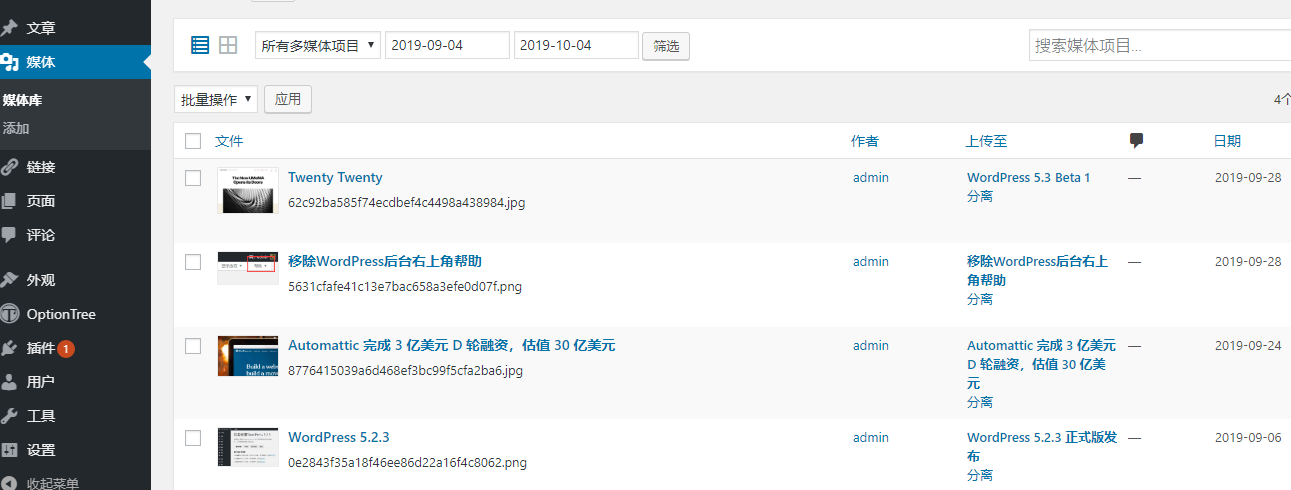
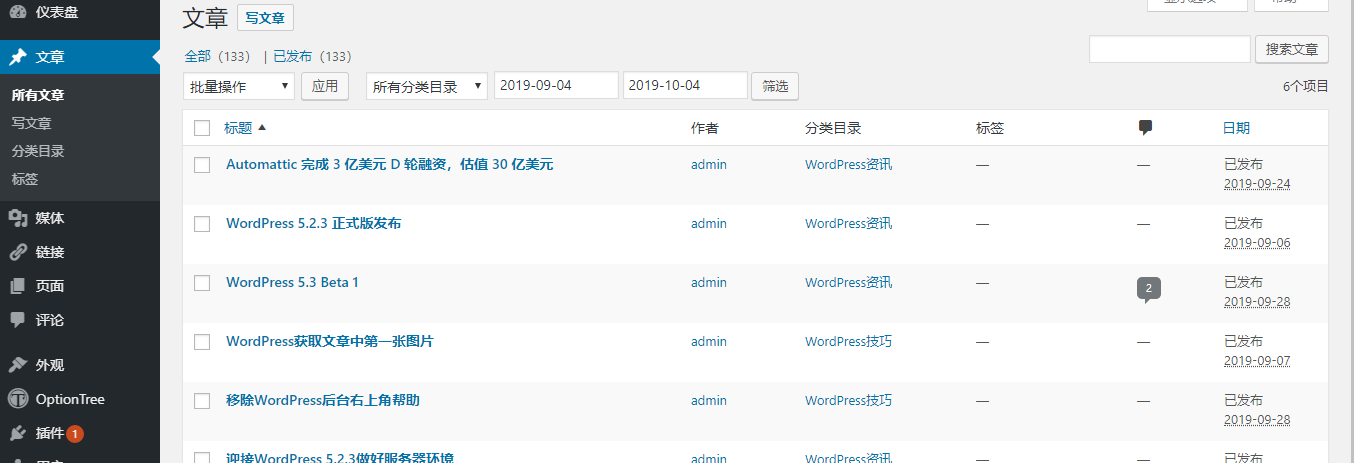
需要注意的是,代码中有个外链的cdn css地址:https://cdnjs.loli.net/ajax/libs/jqueryui/1.12.1/jquery-ui.min.css,这段你可以换成自己喜欢的cdn地址,或者直接放在主题中,去引用主题文件。