WordPress 4.4 新特性:Term meta
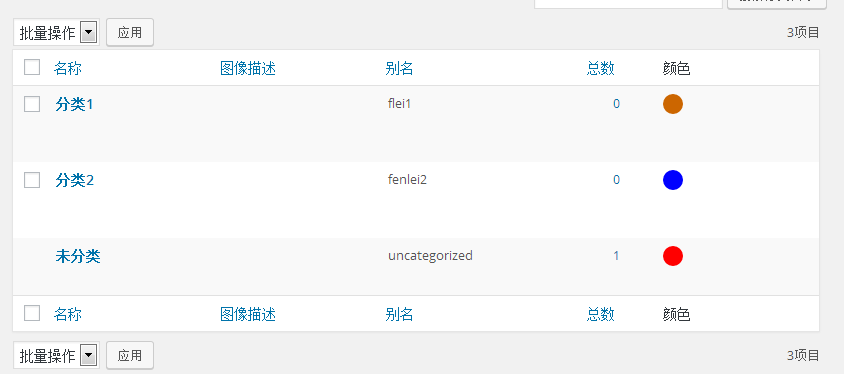
在最近发布的 WordPress 4.4 中,新增了 Term meta (项目元数据),因此开发者可以轻松实现为分类增加颜色属性之类的功能。
如何使用 term meta
如果你是一名开发者,并且曾经使用过文章、评论或者用户数据,那 Term meta 对你来说一定并不陌生。Term meta 有 4 个包装函数:
获取 term meta
为了获得已经存储的颜色,使用 get_term_meta() 函数:
$color = get_term_meta( $term->term_id, 'color', true );
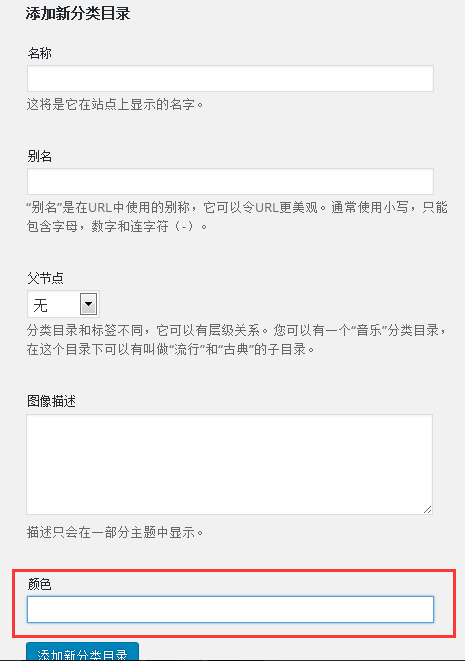
为新建分类目录的表单添加颜色项:
本文所有代码添加到主题的function.pnp文件中
add_action( 'category_add_form_fields', 'aiboshuo_new_term_color_field' );
add_action( 'post_tag_add_form_fields', 'aiboshuo_new_term_color_field' );

function aiboshuo_new_term_color_field() {
 wp_nonce_field( basename( __FILE__ ), 'aiboshuo_term_color_nonce' ); ?>

<div class="form-field aiboshuo-term-color-wrap">
 <label for="aiboshuo-term-color">颜色</label>
 <input type="text" name="aiboshuo_term_color" id="aiboshuo-term-color" data-default-color="#cc6600" />
 </div>
<?php }
编辑分类目录增加颜色项
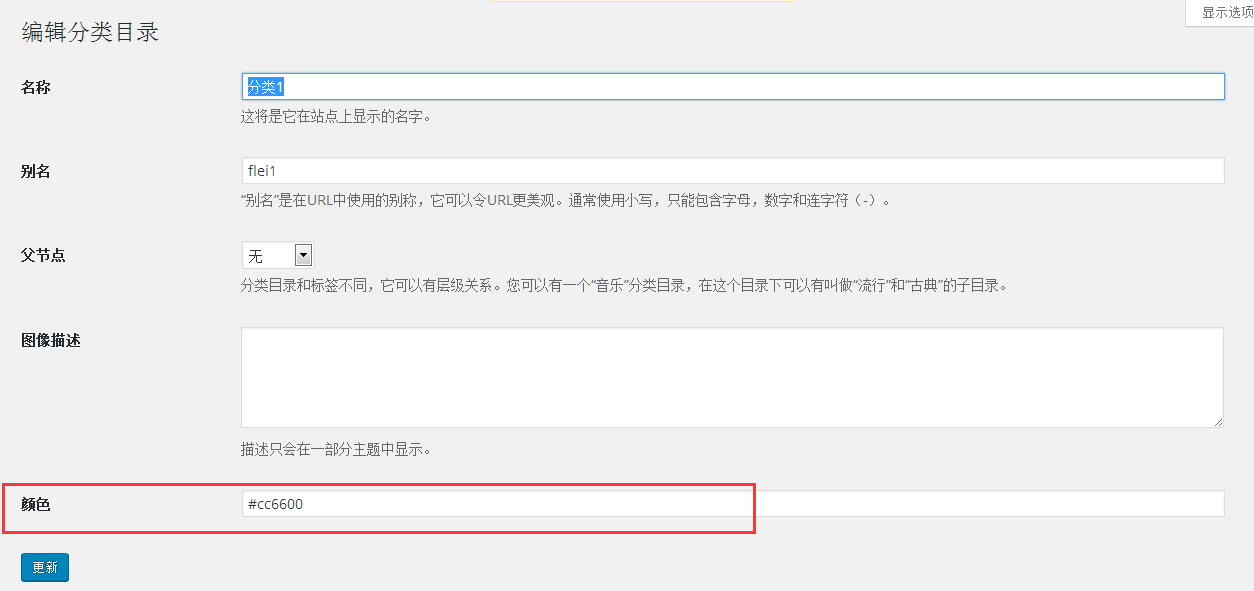
add_action( 'category_edit_form_fields', 'aiboshuo_edit_term_color_field' );
function aiboshuo_edit_term_color_field( $term ) {
 $default = '#cc6600';
 $color = get_term_meta( $term->term_id, 'color', true );

if ( ! $color )
 $color = $default; ?>

<tr class="form-field aiboshuo-term-color-wrap">
 <th scope="row"><label for="aiboshuo-term-color">颜色</label></th>
 <td>
 <?php echo wp_nonce_field( basename( __FILE__ ), 'aiboshuo_term_color_nonce' ); ?>
 <input type="text" name="aiboshuo_term_color" id="aiboshuo-term-color" value="<?php echo esc_attr( $color ); ?>" data-default-color="<?php echo esc_attr( $default ); ?>" />
 </td>
 </tr>
<?php }
保存颜色表单项
为了保存我们添加的表单项,我们需要使用 create_{$taxonomy} (新建表单) 和 edit_{$taxonomy}(编辑表单) 这 2 个动作钩子。
add_action( 'create_category', 'aiboshuo_save_term_color' );
 add_action( 'edit_category', 'aiboshuo_save_term_color' );

function aiboshuo_save_term_color( $term_id ) {
 if ( ! isset( $_POST['aiboshuo_term_color_nonce'] ) || ! wp_verify_nonce( $_POST['aiboshuo_term_color_nonce'], basename( __FILE__ ) ) )
 return;

$color = isset( $_POST['aiboshuo_term_color'] ) ? $_POST['aiboshuo_term_color'] : '';

if ( '' === $color ) {
 delete_term_meta( $term_id, 'color' );
 } else {
 update_term_meta( $term_id, 'color', $color );
 }
 }
添加 term meta 表格栏目
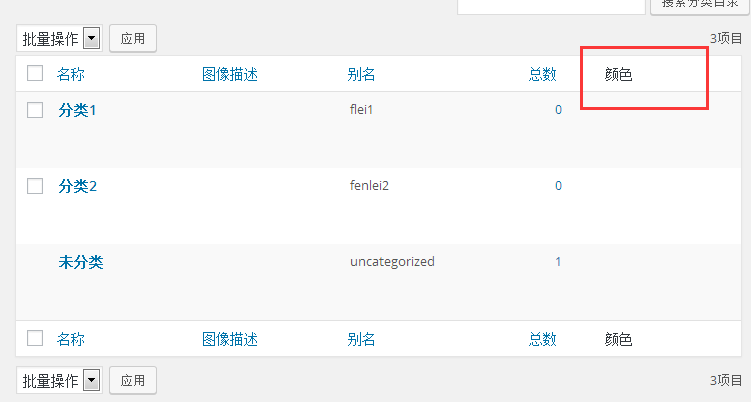
add_filter( 'manage_edit-category_columns', 'aiboshuo_edit_term_columns' );

function aiboshuo_edit_term_columns( $columns ) {
 $columns['color'] = '栏目颜色';
 return $columns;
 }
输出该栏目颜色内容:
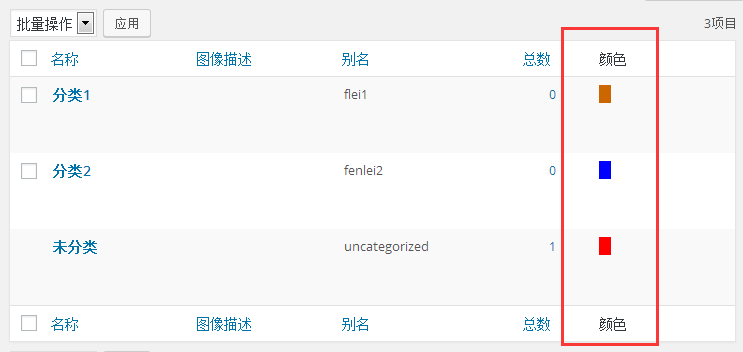
add_filter( 'manage_category_custom_column', 'aiboshuo_manage_term_custom_column', 10, 3 );
function aiboshuo_manage_term_custom_column( $out, $column, $term_id ) {
if ( 'color' === $column ) {
$color = get_term_meta( $term_id, 'color', true );
if ( ! $color )
$color = '#cc6600';
$out = sprintf( '<span class="color-block" style="background:%s"> </span>', esc_attr( $color ) );
}
return $out;
}
为颜色项目添加样式
add_action('admin_enqueue_scripts', 'pluginScripts' );
 function pluginScripts() {
 echo ' <style>
.color-block {
display: block;
width: 20px;
height: 20px;
border-radius: 10px;
}
</style>';
 }
效果见文章开始图片。
也可以使用颜色选择器替代传统的文本框,并把栏目中的颜色直观的呈现出来。
add_action( 'admin_enqueue_scripts', 'c7sky_admin_enqueue_scripts' );

function c7sky_admin_enqueue_scripts( $hook_suffix ) {
 if ( 'edit-tags.php' !== $hook_suffix || 'category' !== get_current_screen()->taxonomy )
 return;

wp_enqueue_style( 'wp-color-picker' );
 wp_enqueue_script( 'wp-color-picker' );

add_action( 'admin_head', 'c7sky_term_color_print_styles' );
 add_action( 'admin_footer', 'c7sky_term_color_print_scripts' );
}

function c7sky_term_color_print_styles() { ?>
 <style>
 .column-color { width: 50px; }
 .column-color .color-block { display: inline-block; width: 28px; height: 28px; border-radius: 50%; }
 </style>
<?php }

function c7sky_term_color_print_scripts() { ?>
 <script>
 jQuery( function( $ ) {
 $( '#aiboshuo-color-field' ).wpColorPicker();
 } );
 </script>
<?php }